
Many people assume that building a professional website requires expensive developers, premium plugins, expensive themes, and large maintenance costs. In reality, WordPress can drastically reduce the initial development barrier when combined with an appropriate site builder, lightweight theme, and budget-friendly hosting setup.
Table of Contents
A low cost WordPress site builder gives you the power to design, publish, and manage a high-quality digital presence without writing code or breaking the bank. This guide will walk you through actual WordPress website costs, the critical features you need, hidden expenses to watch out for, and exactly how to choose and deploy the right builder for your project.
What Is a Low Cost WordPress Site Builder?
A low cost WordPress site builder is a visual tool or plugin that lets users create and customize WordPress websites using drag-and-drop interfaces. It significantly reduces development time and eliminates the need for expensive custom coding, allowing small businesses and creators to launch professional sites on a minimal budget.
WordPress Website Builder vs WordPress Page Builder
While often used interchangeably, there is a slight technical distinction. A WordPress page builder (or WordPress page builder plugin) typically focuses on designing individual posts and pages. A full WordPress website builder gives you complete control over the entire site architecture, including global headers, footers, archive pages, and 404 templates. Choosing a comprehensive WordPress website builder plugin ensures you don’t need a separate theme designer to finish the job.
Can You Build a WordPress Website Without Coding?
Absolutely. Modern solutions function as a drag and drop website builder WordPress environment. You select an element (like a text block, image, or button), drag it onto the canvas, and drop it exactly where you want it. This WordPress visual page builder approach completely removes the need to understand HTML, CSS, or PHP.
How Much Does It Cost to Build a WordPress Website?
The total cost to build a WordPress website is rarely a single flat fee. It depends on your hosting, domain, chosen themes, plugins, builder licenses, and ongoing maintenance.
Here is a realistic breakdown of what you can expect when prioritizing a low budget:
| Website Component | Low-Budget Setup | Standard Business Setup |
|---|---|---|
| Domain Name | $10 – $15 / year | $15 – $20 / year |
| Hosting | $30 – $60 / year (Shared) | $150 – $300 / year (Managed) |
| WordPress Software | Free | Free |
| Theme | Free | $50 – $100 (One-time or yearly) |
| Website Builder | Free | $50 – $199 / year |
| Essential Plugins | Free | $100 – $300 / year |
| SSL Certificate | Free (via Let’s Encrypt) | Free to $50 / year |
| Developer / Agency | $0 (DIY) | $1,500 – $5,000+ |
| Total First Year | $40 – $75 | $1,865 – $5,669+ |
Understanding the average cost to build a WordPress website helps you avoid overpaying. You can genuinely launch a site for under $100 a year if you leverage a free builder and affordable hosting.
Use this interactive calculator to estimate your specific project costs:
What Makes a WordPress Site Builder Low Cost?
Choosing the right tool isn’t just about finding the cheapest license. A truly affordable builder reduces costs across your entire workflow.
Free Core Builder
Many top-tier platforms offer a generous free version. This free WordPress site builder model gives you access to essential widgets, basic layouts, and full visual editing without spending a dime.
Affordable Templates
Time is money. A builder that provides a vast library of pre-designed, niche-specific templates reduces your design time from weeks to hours.
Drag and Drop Editing
By removing the coding barrier, you eliminate the need to hire a frontend developer for basic formatting adjustments.
Reusable Sections and Blocks
Efficient builders allow you to save a specific design, such as a pricing table or call-to-action banner, and insert it anywhere on the site with one click, streamlining the build process.
Mobile Responsive Design
A modern builder must output responsive code automatically. You shouldn’t have to build a separate mobile site or hire an expert to fix tablet layouts.
SEO-Friendly Output
A lightweight builder that generates clean HTML structure, proper heading tags, and optimized code prevents you from having to hire an SEO technical specialist later to fix crawling errors.
Free vs Paid WordPress Site Builders
While a free WordPress page builder is highly capable, understanding the limitations is crucial before committing your site to a specific platform.
| Feature | Free Builder | Paid / Pro Builder |
|---|---|---|
| Visual Editing | Yes (Core widgets) | Yes (Advanced widgets) |
| Templates | Limited basic layouts | Extensive premium libraries |
| Theme Building | Usually restricted to content | Full header, footer, and archive control |
| Dynamic Content | Rarely supported | Pull data from custom fields and posts |
| WooCommerce | Basic compatibility | Advanced cart and checkout builders |
| Support | Community forums | Priority email or live chat |
| Cost | $0 | $50 – $200+ annually |
Keep in mind that “free” refers only to the builder itself. You will still incur baseline WordPress website builder costs for your domain and server hosting.
Best Features to Look for in a Low Cost WordPress Site Builder
When evaluating your options, ensure the builder includes these essential capabilities to prevent costly roadblocks later:
Drag and Drop Editor: A lag-free, intuitive visual interface.
Pre-Built Website Templates: Full-site kits, not just single-page layouts.
Responsive Editing: The ability to adjust font sizes and padding specifically for mobile and tablet views without affecting desktop.
Global Styling: Centralized control over brand colors and typography.
Header and Footer Builder: Essential for maintaining a cohesive brand identity.
Landing Page Creation: Clean canvases for marketing campaigns.
WooCommerce Compatibility: Native widgets for product grids and add-to-cart buttons.
SEO Compatibility: Integration with popular SEO plugins to easily edit meta tags.
Performance Optimization: Asset loading controls so the builder doesn’t bloat your site speed.
Regular Updates: A proven track record of patching security vulnerabilities.
Low Cost WordPress Site Builder vs Hiring a Developer
Should you use a builder or hire a professional? Use this matrix to guide your decision:
| Factor | Site Builder (DIY) | Hiring a Developer |
|---|---|---|
| Initial Cost | Very low (Often just hosting) | High ($1,500 – $10,000+) |
| Coding Knowledge | Not required | Handled by the professional |
| Setup Time | Immediate deployment | Weeks to months |
| Customization | Confined to builder capabilities | Unlimited bespoke features |
| Maintenance | User-managed | Often requires a retainer contract |
| Best For | Standard sites, blogs, portfolios, basic stores | Highly complex apps, custom integrations |
Best Low Cost WordPress Themes for Site Builder
The presence of low cost WordPress site builder helps people to build their desired website at very nominal cost.
In this digital world, having an online presence is a must for any business to target local and global customers.
There are so many opportunities for making money online through websites that people are quitting their jobs and becoming full-time bloggers or online service providers.
When it comes to building a website, WordPress is the go-to destination. WordPress is the best content management and business showcasing platform. It is user-friendly, secure and does not require huge initial investments.
Low cost and cheap WordPress themes implies low price or free themes that are compatible with any standard free page builder and customizer plugin.
It helps you to create a website with easiest functionality i.e. drag and drop feature. With one click you will be able to import complete demo that includes widgets, content, menus, icons, etc.
This template is just perfect to get started your website projects quickly and effectively. By purchasing this template you will have complete control to choose any layout that you want.
You can create single page website for promoting app or single product or you can create multiple page website for promoting number of services and number of products in a single platform.
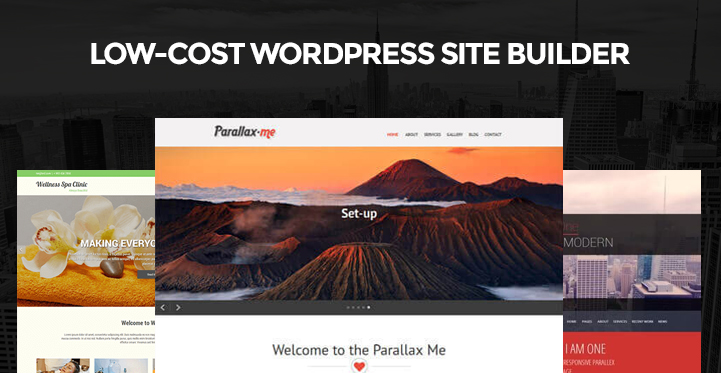
Top List of Low Cost Website Builders for Affordable Sites!
Here is the list of the best low cost WordPress site builder you should consider to construct your website with minimum investment.
1. Sportsman Pro



If you are thinking to start creating a website for sports related business then you must choose Sportsman Pro. This is a perfect low cost WordPress site builder that will help you to create a website easily for multiple business purpose.
You will be able to create class’s timetable, workshops details, events or upcoming seminars. The template is very easily to integrate with online booking system by installing SKT booking plugin in just one click.
You will be able to manage your business appointments online from anywhere. Responsiveness and retina ready feature is the most amazing part of this template.
2. Elastic Pro
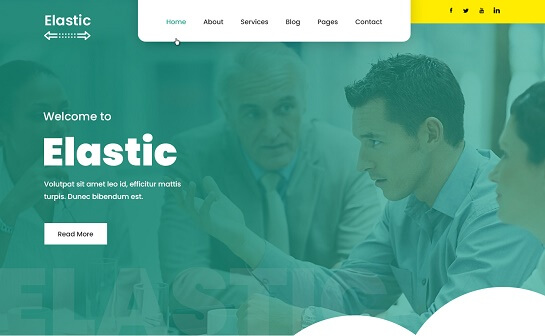
One of the greatest multipurpose girly WordPress themes is Elastic Pro, which is made for businessgirls, new startups, entrepreneurs, business partners, new businesses, corporations, and young endeavors.
Four distinct header and footer types are supported. It also acts as a Low Cost WordPress Site Builder. In addition, it features a sidebar and footer sections that are widget-friendly. It is very simple to maintain and administer. The homepage can be made more engaging by using animation. It will look good on any device thanks to the retina-ready feature. Additionally, there is a distinct layout section for the blog. It comes with a large collection of typefaces. It is cross-device compatible and Google mobile friendly. The new website will be easy to translate.
3. SKT Cafe Pro
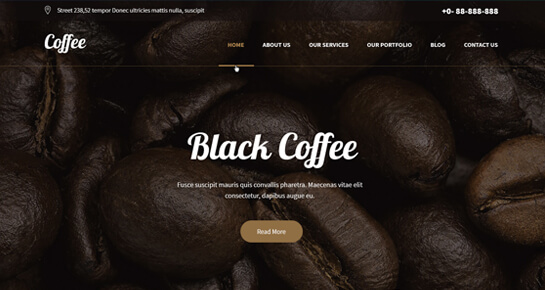
SKT Cafe Pro is a unique template because it contains all unique and fresh designs. The template is already optimized for best performance on search engines and it load faster.
The template is cross browser independent and display all content in responsive manner on all type of devices. The premade demo can be used as a single page website or a multipage website.
The template comes with attractive gallery section where you can list your food items or products related to your cafe. The theme can be transferred in different languages because it is supported with translation ready and multilingual features. Plus it comes with .PO and .MO files.
4. SKT Parallax Me

When it comes to low cost WordPress site builder, SKT Parallax Me stands out. It is a multipurpose parallax theme which gives you the ability to use unlimited color, change background images and you can have 20 sections on the homepage featuring different categories.
Its powerful visual editor lets to design and edit any section of any page with ease. There are shortcodes for amazing content placement like accordions and testimonials. It supports filterable portfolio with images and videos. Just like any other theme, it is fully responsive on all devices.
5. I Am One
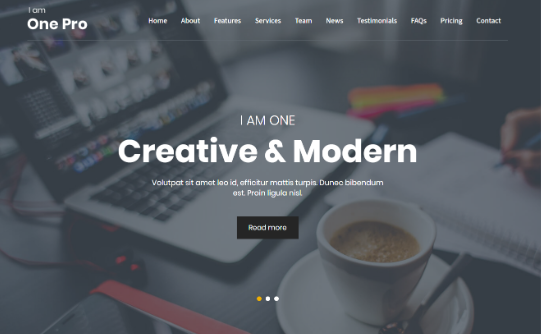
As the name suggests I Am One is a free single page WordPress theme that comes under low cost WordPress site builder list.
It has eye-catching Parallax slider that is compatible to look equally great on all devices. The homepage has 12 sections which are easily editable with the visual editor.
It is best for showcasing services and products. One can have WooCommerce integration for directly selling the services and products. It has forum creating option with bbPress and advanced contact forms. It is SEO-friendly and absolutely lightweight with all the ingredients to showcase your business brilliantly.
6. SKT Photo Session

SKT photo session is a free yet premium photography WordPress theme. It comes with full page slider with 5 images and control buttons. When you want low cost WordPress site builder, this is the best gem that you can get for putting your photography site online.
Needless to say that the galleries are breath-taking and the overall design is very sleek and elegant. You can sell any photograph directly with WooCommerce support. You can also have a blog to get a good number of followers and have social media integration to make your site go viral.
7. SKT Pathway

Next up on our list of low cost WordPress site builder is SKT pathway which is ideal for creating a product showcasing site.
It is a multipurpose free theme with easy to set up theme options that require no technical expertise. It offers five different types of designs to suit your design needs, and each one of them is fully editable with the visual editor.
It is compatible with any standard page builder, and you can add pages as per your requirement effortlessly. It has ready-made blog templates with sample content. You can have sidebar and widgets or even full-width pages. It is best for showcasing digital products like software, apps, web applications, games and likewise.
8. Beauty Spa Lite
This is an amazing low cost WordPress site builder theme that you can use to showcase your business and write relevant blogs.
You can customize any component with its built-in customizer. It has passed Google mobile test and SEO standards. You can use it to have an online store to represent your offline business like beauty spa center, beauty salon, massage center, yoga center, gym and likewise.
Writing relevant blogs will get you a lot of visitors, and in fact, you can turn them into your customers cleverly. It is clean, modern and very light-weight for faster loading speed.
9. SKT Black
This is a free WordPress theme but has a premium black look. It is all devices friendly, and the overall design is gripping and sure to leave a good impression on your potential customers. It is SEO and SMO ready, and your website is likely to go viral.
It is a secured theme and fully protected from hacking o virus attacks. It comes with several theme options to tweak every component intuitively. It is suitable for all kinds of businesses, and it has all the necessary sections to engage your visitors and increase the conversion rate effortlessly.
10. SKT Magazine
It is a free theme for professional and personal blogging. You can use it as a news site with viral content. The layouts on the homepage are tailor-made for featuring certain articles and showcasing the sponsored articles prominently.
You can have sidebars, widgets, and pop-ups for generating huge revenue. It is the best low cost WordPress site builder for blogging purpose. It is compatible with any Window, Android or iOS handheld devices. It provides beautiful plugins for showcasing your portfolio and galleries.
You can integrate Facebook comment and most-used comment plugin named Disqus to increase engagement on your website.
Once your blog grows bigger and goes viral, you can offer services and sell products directly through a different section on your website. WooCommerce is perfectly compatible, and sidebar widgets will help you to show exciting offers on products.
There are multiple shortcodes to make content appealing, and you can change the color scheme as per your requirement. It has all the social media plugins along with social sharing options.
How to Choose the Right Low Cost WordPress Site Builder
There is no single “best” option—the right choice depends entirely on your specific goals and technical comfort level.
For Beginners
If you are entirely new to web design, prioritize a simple interface, a massive library of ready-made templates, and extensive documentation. You want a tool that guides you rather than overwhelming you with developer-level CSS controls.
For Small Businesses
Local service businesses need reliability. Prioritize built-in contact forms, SEO compatibility, robust mobile-responsive design, and an interface that makes quick text updates easy without breaking the layout.
For Bloggers
Content is king. Prioritize builders that generate clean code output, offer excellent typography controls, integrate flawlessly with the native WordPress editor, and ensure lightning-fast performance for high-traffic articles.
For Ecommerce Websites
Online stores have strict structural needs. Prioritize deep WooCommerce compatibility, the ability to build custom product archive layouts, optimized checkout styling, and cart abandonment integrations.
For Freelancers
If you are building sites for clients on a budget, prioritize workflow efficiency. Look for builders that offer reusable templates, global style variables, white-labeling options, and flexible agency licensing models.
Popular WordPress Site Builder Options
Rather than just listing the “best” tools, it helps to understand the different categories of builders available to you.
WordPress Block Editor (Gutenberg)
The native WordPress editor has evolved into a robust site builder. Since it is built into WordPress core, it is completely free, incredibly lightweight, and highly performant. It is ideal for bloggers and minimalists who prefer a clean, streamlined editing experience without third-party plugin bloat.
Elementor
The most popular WordPress visual page builder globally. Its massive free version offers an incredibly intuitive drag-and-drop interface. The vast ecosystem of third-party add-ons and pre-made templates makes it a top choice for beginners and marketers who want maximum design flexibility.
Divi
Divi is both a theme and a powerful builder known for its highly visual, frontend editing experience. While it doesn’t offer a traditional free tier, its lifetime pricing model makes it highly cost-effective for freelancers and agencies building multiple sites over several years.
Beaver Builder
Renowned for its stability and clean code output, Beaver Builder focuses on reliability over flashy features. It is incredibly user-friendly and highly respected by developers for its stable update cycle and excellent performance metrics.
Hidden Costs of a Cheap WordPress Website
A free builder gets you started, but be prepared for the hidden expenses that often catch beginners off guard:
Domain Renewal:
That $0.99 first-year domain often renews at $20 per year.
Hosting Renewal:
Promotional hosting rates typically double or triple after the initial term expires.
Premium Plugins:
You may eventually need paid plugins for advanced forms, booking systems, or complex SEO tools.
Premium Themes:
While you can start free, pro themes offer better support and deeper integration with builders.
Website Maintenance:
Time spent running updates, troubleshooting conflicts, and managing backups.
Security & Backups:
Premium cloud backup storage or advanced firewall protection.
Performance Optimization:
Upgrading hosting tiers when traffic outgrows your entry-level plan.
How to Reduce WordPress Website Costs Without Sacrificing Quality
You don’t need a massive budget to maintain a high-quality site. Follow these actionable strategies to keep your ongoing costs down:
Start With a Free Theme:
Pair a robust free theme like Astra with your builder instead of buying a premium theme you won’t fully utilize.
Use a Free Builder Where Possible:
Maximize the free version of your chosen builder before assuming you need the Pro upgrade.
Avoid Unnecessary Plugins:
Every plugin adds potential bloat and security risks. If a feature isn’t essential, don’t install it.
Use Templates:
Don’t reinvent the wheel. Modify existing templates rather than spending hours designing custom grids from scratch.
Optimize Images Before Uploading:
Use free web tools to compress images, saving server bandwidth and delaying the need for expensive hosting upgrades.
Choose Hosting Based on Actual Traffic:
Don’t buy a $50/month VPS for a new blog with 100 monthly visitors. Start small and scale up only when necessary.
Common Mistakes When Choosing a Cheap WordPress Site Builder
Avoid these pitfalls when selecting your cost of building a website with WordPress stack:
Choosing only based on price:
A cheap, poorly coded builder can cost you more through lost traffic and slow performance.
Ignoring performance:
Heavy builders that load excessive scripts can negatively affect your Core Web Vitals.
Installing too many plugins:
Trying to patch a weak builder by installing dozens of third-party add-ons can create a fragile and slow website.
Ignoring mobile design:
Building a beautiful desktop site and forgetting to check the mobile view until after launch can create a poor user experience.
Forgetting future scalability:
Choosing a rigid tool that cannot support ecommerce or custom post types can create problems when your business grows.
Using pirated themes or plugins:
“Nulled” software can increase security risks and may lead to your website being hacked or blacklisted by Google.
Is a Low Cost WordPress Site Builder Right for You?
Use this decision matrix to determine the best approach for your specific project:
| Your Requirement | Recommended Approach |
|---|---|
| Personal Blog | Simple block editor (Gutenberg) |
| Small Business Website | Visual drag-and-drop builder + lightweight theme |
| Creative Portfolio | Template-based visual builder |
| Marketing Landing Page | Dedicated page builder plugin |
| Standard Online Store | WooCommerce-compatible site builder |
| Complex Web Application | Custom development is likely more appropriate |
Low Cost WordPress Site Builder FAQs
What is the cheapest way to build a WordPress website?
The cheapest method is purchasing basic shared hosting (approximately $30-$50 per year), registering a standard domain ($15 per year), and utilizing the native WordPress Block Editor alongside a free framework theme. Total first-year cost can be under $65.
Is there a free WordPress site builder?
Yes, several major platforms, including Elementor, Beaver Builder (Lite), and the native WordPress Gutenberg editor, offer powerful free versions capable of building professional websites.
Can I build a WordPress website without coding?
Absolutely. Modern visual builders use intuitive drag-and-drop interfaces, allowing you to control layouts, typography, spacing, and colors entirely through visual menus.
How much does it cost to build a WordPress website?
A DIY approach using free builders and standard hosting can cost between $50 and $150 annually. Hiring an agency for a custom build typically ranges from $1,500 to over $5,000 depending on complexity.
What is the difference between a WordPress site builder and page builder?
A page builder is designed to format the content area of individual pages or posts. A full site builder allows you to design the entire website architecture, including the global header, global footer, 404 pages, and dynamic archive templates.
Do WordPress site builders slow down websites?
They can, if poorly optimized. Builders add extra code (CSS and JavaScript) to render visual layouts. To mitigate this, choose lightweight builders, optimize your images, utilize caching, and rely on quality hosting.
Can I switch WordPress site builders later?
It is possible, but difficult. Because builders use proprietary code to generate layouts, deactivating a builder can leave behind shortcode mess or break formatting. Switching usually requires rebuilding the pages from scratch in the new tool.
What should I check before choosing a low cost WordPress site builder?
Always verify its compatibility with your active theme, its impact on page load speed, the responsiveness of its mobile editing controls, and whether the free version includes the specific widgets, such as forms or sliders, you require.
Building a High-Quality Website Without Breaking the Bank
Low cost does not have to mean low quality. By pairing affordable hosting with a robust, free WordPress site builder, you can bypass expensive development fees and take full control of your digital presence. A successful WordPress setup is about balancing initial cost with long-term functionality, performance, and security.
Map out your required features, test a few free builder interfaces to find the workflow you prefer, and follow practical setup steps to bring your vision to life on a budget.
 Sonal S Sinha is a digital architect and seasoned developer with over 16 years of experience in the web world. As the founder of a premier design and marketing agency, he has helped thousands of startups and small businesses define their identity through custom WordPress theme development.
A self proclaimed WooCommerce enthusiast, Sonal is dedicated to making professional design accessible to everyone. He regularly shares his expertise and a curated selection of free WordPress themes to help new creators launch with confidence. Follow Sonal for a consistent masterclass in scaling your online presence.

