
Is Your WordPress Site Hacked?
You open your website and suddenly see a strange page, spam links, an unexpected redirect, a new administrator account, or a glaring malware warning.
Table of Contents
Realizing my WordPress site has been hacked is a terrifying moment for any business owner. However, a WordPress site hacked by malicious actors does not always display an obvious “Hacked” message.
WordPress itself recommends looking for subtle indicators of compromise such as unauthorized users, malware warnings, blacklisting, unexpected website behavior, or visible changes.
If your WordPress website hacked status is confirmed, you need immediate, structured action. When saying to yourself, “my WordPress website has been hacked,” panic is your worst enemy.
You need professional WordPress hacked help to stop the bleeding. This complete guide will show you exactly what to do when your WordPress site compromised alerts go off.
We will cover how to identify a hack, what to do immediately, and how to find hidden malware. You will also learn how to clean a WordPress site hacked environment, recover your traffic, and stop repeated attacks.
Let’s protect your digital assets right now.
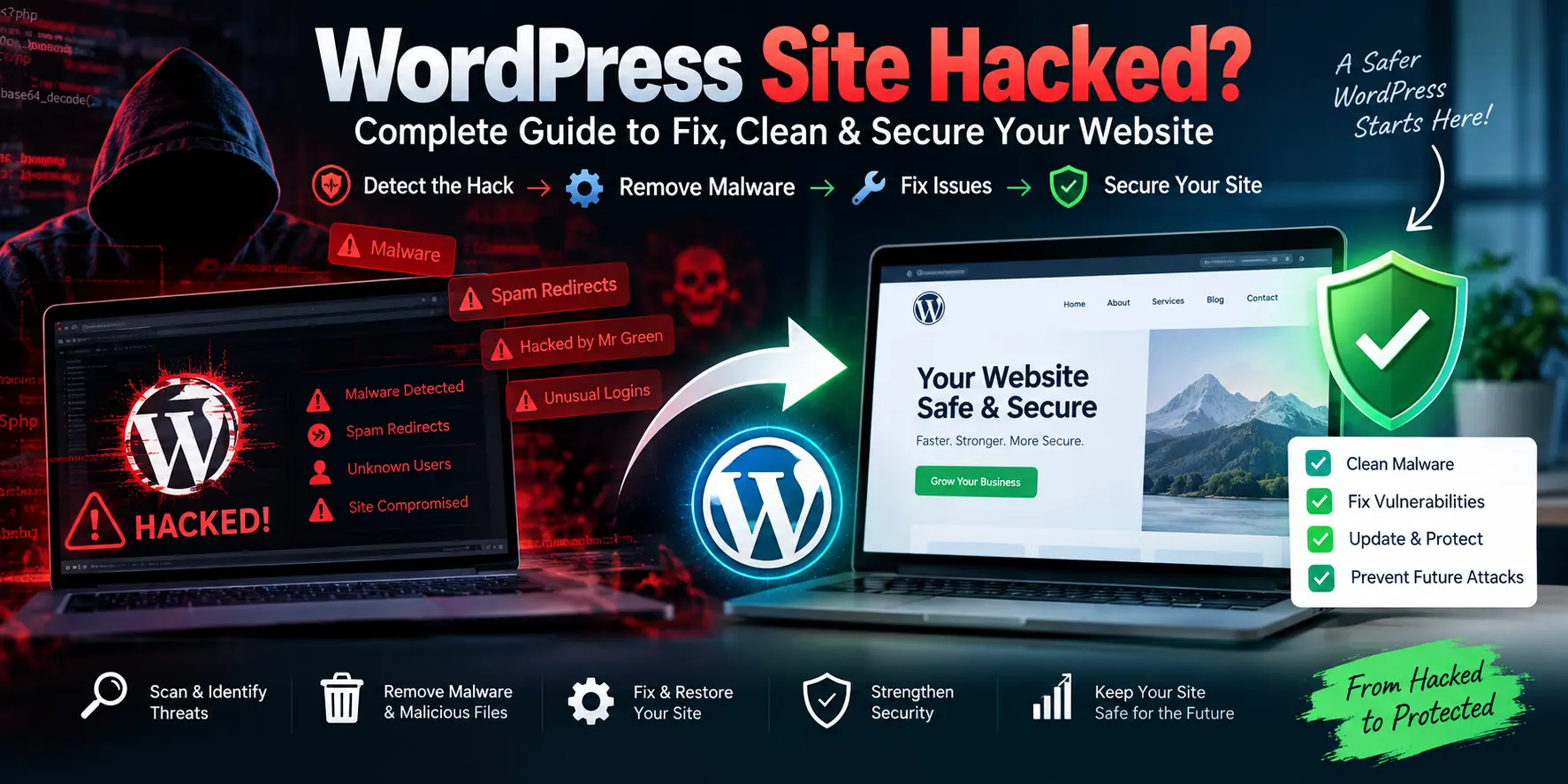
How to Know If Your WordPress Website Has Been Hacked?
Before taking destructive action, you must confirm that a breach actually occurred.
Many administrators only realize their WordPress site has been hacked when traffic suddenly plummets.
Common signs of a hacked WordPress site
- The most obvious symptom is when a WordPress website redirects to spam destinations automatically.
- You might also discover new, unauthorized administrator accounts silently added to your dashboard.
- Unknown plugins or themes installing themselves is another massive red flag.
- If your homepage is modified or flooded with spam pages, your WordPress site compromised status is undeniable.
- You should also scan for strange JavaScript injections and highly suspicious PHP files hiding in your directories.
- Google malware warnings or hosting account suspensions are often the final alert that your WordPress site infected with malware requires immediate attention.
- Unwanted popups and search results showing spam URLs under your domain are classic symptoms.
- Additionally, slow server performance or unexpected emails sent from your domain indicate severe abuse.
- Google specifically documents hacked pages, injected content, malicious redirects, hidden links, and malicious code as primary forms of hacked content.
- If you ever find yourself saying, “my WordPress site was hacked,” mapping these exact symptoms is your first defense.
- Furthermore, if your WordPress website redirects to spam repeatedly, finding the source file is critical.
- Confirming your WordPress website hacked symptoms allows you to plan the correct recovery phase.
WordPress Website Hacked? What Should You Do First?
When disaster strikes, rushing into a chaotic cleanup often causes permanent data loss. If you are wondering, “my WordPress website is hacked what should i do?”, follow this emergency checklist immediately.
Step 1: Don’t panic
Rushed changes can permanently destroy useful forensic evidence.
Step 2: Document the symptoms
Record all suspicious URLs, take screenshots, and map out exactly where the malicious redirects go.
Document any malware warnings, unusual users, and the exact dates and times they appeared. WordPress recommends thoroughly documenting what happened before beginning the actual cleaning process.
Step 3: Take a backup or forensic copy
Even an infected copy can be incredibly useful for forensic investigation later.
Step 4: Contact your hosting provider
Reach out to your hPanel or cPanel support team for immediate wp hacked help.
Ask whether they detected malware, unusual login activity, suspicious files, or a server-level compromise.
Step 5: Temporarily restrict access if necessary
Enable maintenance mode or temporary access restrictions to protect your visitors without destroying core files.
If you are researching WordPress hacked what to do, containment is always the absolute priority. Properly pausing your traffic allows you to safely fix hacked site files.
Knowing exactly WordPress hacked what to do prevents a localized infection from spreading. A calm, systematic approach is the only way to successfully fix hacked website architecture.
Why Do WordPress Sites Get Hacked?
Understanding the root cause is the most important part of any WordPress hack fix.
If you do not patch the entry point, your WordPress site keeps getting hacked repeatedly.
Outdated WordPress Core
Running old software is an open invitation for automated bots to hack wp architecture.
Vulnerable Plugins
Outdated add-ons account for the vast majority of all security breaches globally.
Vulnerable Themes
Installing pirated or vulnerable premium themes can introduce malicious backdoors directly into your server.
Weak Administrator Passwords
Brute-force attacks can easily compromise weak passwords and steal dashboard access.
Stolen Hosting or FTP Credentials
If attackers acquire your raw server credentials, dashboard security plugins may not be enough to protect your site.
Malicious or Nulled Plugins/Themes
Pirated software can be bundled with obfuscated malware payloads.
Vulnerable File Upload Functionality
Unrestricted media uploads can allow attackers to slip executable PHP shells into your directories.
Compromised Third-Party Services and Poor Server Configuration
Weak permissions at the hosting level can allow cross-site contamination between different domains. WPScan actively tracks vulnerabilities affecting WordPress core, plugins, and themes. This makes software vulnerability management a mandatory part of modern digital security.
If my WordPress site keeps getting hacked, an unpatched vulnerability may be being exploited. Without identifying these exact vectors, an attacker may simply hack wp site environments again. Stop the cycle immediately if your WordPress keeps getting hacked week after week.
Need Help Fixing Your Hacked WordPress Site?
Get professional assistance to identify security problems, clean malware,
repair your website, and strengthen WordPress security.
How to Scan a Hacked WordPress Website
Proper scanning should identify both existing malware and the underlying security weaknesses.
Use a WordPress Security Scanner
You must utilize a trusted scanner to assess the full extent of the damage.
Introduce tools like WPScan as an excellent option for deep vulnerability assessment.
A thorough wpscan website audit checks WordPress versions, plugins, themes, usernames, and exposed files.
Scan WordPress Files
You need to look closely for unexpected PHP files and recently modified core documents.
Search your directories for obfuscated code, unknown scripts, and highly suspicious files hiding inside your uploads folder.
Scan the Database
Check your tables for unknown administrators and highly suspicious options.
Look for injected JavaScript, massive amounts of spam content, and modified site URLs.
Check Server-Level Files
Malware often exists completely outside the standard WordPress installation. While pentesting WordPress sites is a legitimate security testing concept, it must only be performed on websites the tester owns or has explicit permission to test.
If your WordPress site infected with malware is crashing, professional WordPress hacked help can manage this deep scanning for you. To effectively remove malware WordPress infections, you must find every single backdoor. Running a comprehensive wpscan website check ensures no vulnerability is left behind.
How to Remove Malware From WordPress?
Knowing exactly how to surgically remove malicious code prevents catastrophic data loss.
Identify Infected Files
You must carefully compare your suspicious files with clean versions directly from the official WordPress repository.
If you are researching a WordPress site hacked how to clean guide, manual comparison is often necessary.
Remove Malicious Files
You must ruthlessly delete unknown PHP files, hidden backdoors, and embedded malware scripts.
Delete all suspicious admin files and any code triggering malicious redirects. To safely clean hacked WordPress architecture, you cannot leave a single line of obfuscated code behind.
Replace WordPress Core Files
WordPress officially recommends replacing affected software with completely clean copies.
Simply assuming that deleting obvious malicious code is sufficient is a massive mistake. Their hacked-site guidance notes that reinstalling through FTP or SFTP is incredibly useful.
Attackers frequently introduce new files that normal dashboard overwrite operations completely miss. Replacing core files is the fastest way to clean malware from WordPress site environments.
Replace Infected Plugins and Themes
Compromised plugins and themes must be completely deleted and replaced with trusted, freshly downloaded copies.
To successfully remove malware WordPress scripts, never try to manually clean a deeply infected plugin.
Clean the Database
You must thoroughly scrub your database to clean malware from WordPress site tables. Discuss checking the wp_options table, auditing all user accounts, and scrubbing user metadata.
Delete any suspicious injected content immediately to completely clean infected WordPress site architecture. A meticulous database scrub is mandatory to remove malware WordPress payloads for good.
How to Fix a Hacked WordPress Site Step by Step?
Following a strict, systematic process is the only proven way to guarantee complete recovery.
Here is your actionable, step-by-step masterclass to completely fix hacked WordPress site architecture.
Step 1: Create a backup
Always secure WordPress a forensic copy before making destructive changes.
Step 2: Put the website into maintenance mode if required
Protect your live visitors by pausing your front-end traffic.
Step 3: Scan the complete website
Use robust security plugins and server-level scans to find the breach.
Step 4: Identify malicious files
Compare your active server files against clean repository versions.
Step 5: Remove malicious code
Surgically delete every unrecognized script and backdoor to fix hacked website vulnerabilities.
Step 6: Replace WordPress core files
Upload fresh, clean core files via SFTP to ensure all system files are pure. This is a mandatory step to properly fix hacked WordPress website files.
Step 7: Replace compromised plugins and themes
Delete infected add-ons entirely and install fresh copies directly from the developer.
Step 8: Check administrator accounts
Purge any unrecognized users with administrative privileges immediately.
Step 9: Clean the database
Scrub your wp_options and user metadata for injected spam links.
Step 10: Check .htaccess
Review your routing rules to apply a proper website hacked fix.
Step 11: Check wp-config.php
Ensure no malicious database connections or obfuscated payloads exist here.
Step 12: Check cron jobs
Delete any scheduled server tasks that regenerate malware automatically.
Step 13: Update everything
Patch your core, themes, and plugins to the absolute latest versions.
Applying a deep WordPress hack fix relies heavily on running patched software.
Step 14: Reset credentials
Change all passwords, including FTP, database, and admin logins to safely fix hacked site access.
Step 15: Run another security scan
Verify that your rigorous efforts to fix hacked WordPress website environments were successful.
Following this framework guarantees you comprehensively fix hacked WordPress site vulnerabilities.
How to Recover a Hacked WordPress Site From a Clean Backup
Sometimes the damage is so extensive that a manual cleanup is simply not viable.
When Should You Restore a Backup?
Restoring from a backup is highly appropriate when facing severe file corruption or multiple hidden backdoors.
If your database suffered massive manipulation or the infection scope is unknown, wiping the server is safer. If you have a clean, verified backup available, this is the fastest way to recover hacked WordPress site functionality.
What Makes a Backup Trustworthy?
You must carefully examine the backup date against the confirmed infection timeline. Verify your database integrity and ensure the plugin and theme versions were secure. You must absolutely verify whether the backup itself contains dormant malware before restoring.
When researching WordPress hacked website repair, clean backups are your ultimate safety net. If my WordPress site was hacked months ago, a recent backup is completely useless.
Restore and Immediately Patch
Do not restore an old backup and leave the exact same vulnerability active.
To effectively fix hacked WordPress website servers, you must update the vulnerable software the exact second the restoration completes.
This is the only secure way to recover hacked WordPress site traffic permanently.
What to Do If Your WordPress Site Keeps Getting Hacked
Repeated reinfection strongly indicates that the original entry point was not fully addressed.
If your WordPress site keeps getting hacked, a hidden persistence mechanism is actively regenerating the malware.
Look for Hidden Administrator Accounts
Attackers often hide ghost admin accounts deep in the database to regain access at will.
Check All Hosting Accounts
Ensure cross-site contamination isn’t infecting your files from a neighboring domain on the same server.
Reset FTP/SFTP and Database Credentials
Stolen server-level passwords will bypass all your dashboard security plugins effortlessly.
If my WordPress site keeps getting hacked, resetting these core credentials is non-negotiable.
Check for Backdoors and Review Cron Jobs
Malicious scheduled tasks can quietly redownload malware every single night at midnight. You must also aggressively remove abandoned plugins and update vulnerable software immediately. If your WordPress site compromised alerts trigger daily, check other websites on the exact same hosting account.
WordPress specifically recommends changing passwords again after you completely clean up hacked WordPress site environments. They also urge administrators to investigate exactly how the attacker originally gained access.
If you ignore the root vulnerability, your WordPress keeps getting hacked indefinitely. Do not let your WordPress keeps getting hacked cycle destroy your hard-earned SEO rankings. Take absolute control if your WordPress site keeps getting hacked over and over.
How to Fix WordPress Spam Redirects?
One of the most frustrating symptoms of a breach is losing your organic traffic to malicious domains. When a WordPress website redirects to spam, it often utilizes malicious JavaScript or hidden .htaccess modifications.
Attackers frequently use injected PHP and database injections to hijack your visitors silently. Compromised plugins can trigger conditional redirects that only impact mobile users or visitors from search engines. Search-engine-only redirects are specifically designed to hide from logged-in administrators.
Google documents this exact type of hacked redirect behavior, noting it changes depending on the device or referrer. To apply a lasting website hacked fix, you must audit your routing rules immediately.
If your WordPress site compromised by spam links is losing traffic, check your .htaccess and wp-config.php files. You should also thoroughly review your theme files, plugin files, and database tables.
When a WordPress site hacked via routing triggers occurs, you must also check server redirects and CDN rules. Check your DNS configuration to ensure your domain wasn’t hijacked at the registrar level.
Stopping a WordPress website redirects to spam loop protects your visitors from phishing scams. Solve this immediately when your WordPress website redirects to spam destinations.
What Does “Hacked by Mr Green” Mean?
If you load your homepage and see a glaring “hacked by mr green” message, your site has likely been modified without authorization.
However, this visible message alone does not identify the exact vulnerability that caused the breach. The administrator must investigate the entire environment rather than simply replacing the defaced homepage. A standard WordPress hacked scenario like this requires looking for unauthorized files, rogue users, hidden redirects, and persistence mechanisms.
You must avoid claiming a specific attacker or group is responsible unless highly reliable evidence establishes it. Whether your WordPress website hacked defacement says “hacked by mr green” or something else, the recovery process remains identical.
WordPress Account Hacked: What Should You Check?
Understanding the exact level of the breach is critical for proper containment. You must understand the difference between a WordPress account hacked at the dashboard level versus a hosting account compromise. An FTP/SFTP compromise or a database compromise gives the attacker total control over the server.
Even an email account compromise can allow hackers to bypass standard password resets effortlessly. If you realize someone hacked my WordPress website, you need to execute a strict checklist immediately.
First, remove unknown users and completely reset all administrator passwords. Enable Two-Factor Authentication (2FA) and rigorously review all assigned user roles.
If you need urgent wp hacked help, always check your login history for foreign IP addresses. You must also reset hosting credentials, FTP/SFTP passwords, and your database password.
When a WordPress site has been hacked, reviewing all connected third-party services is mandatory. Securing a WordPress account hacked at the root level prevents catastrophic future data breaches.
How to Secure WordPress After Malware Removal
Cleaning the malware is only half the battle; hardening your defenses prevents future devastation.
Keep WordPress, Plugins, and Themes Updated
Running the latest software is the absolute best defense against automated vulnerability scanners.
Remove Unused Software
Delete any dormant themes or deactivated plugins, as they still represent a massive security risk.
Use Strong Unique Passwords and Enable 2FA
Implement Two-Factor Authentication to make brute-force attacks much harder to succeed.
Limit Administrator Accounts
Only grant administrative privileges to users who absolutely require them for daily operations.
Use HTTPS and Maintain Tested Backups
Secure your data transit and guarantee you always have an off-site, verified backup ready to deploy.
Add Security Monitoring and Disable File Editing
Disable the built-in theme and plugin editor to prevent attackers from executing PHP directly from the dashboard.
WPScan’s security guidance similarly emphasizes updates, strong passwords, limiting privileged users, minimizing plugins, backups, HTTPS, and regular vulnerability scanning.
When seeking WordPress hacked help, security professionals will always implement these exact hardening measures. Protecting WordPress site from hackers requires a proactive, layered security approach. Every solid WordPress hack fix must conclude with a comprehensive security audit.
If you successfully clean up hacked WordPress site environments, hardening the perimeter is your final task. Start protecting WordPress site from hackers today by enforcing strict authentication protocols.
How to Prevent Your WordPress Site From Getting Hacked Again?
A proactive defense is the only way to ensure your digital business remains entirely uninterrupted.
If your WordPress site keeps getting hacked, you must implement this practical prevention checklist immediately.
- Update WordPress, plugins, and themes automatically.
- Remove unused plugins and absolutely refuse to install nulled software.
- Use 2FA and enforce strong passwords for all users.
- Monitor administrator accounts carefully and scan your files regularly.
- Maintain off-site backups completely separate from your hosting environment.
- Protect hosting credentials and always enforce HTTPS routing.
- Use a Web Application Firewall (WAF) to block malicious traffic instantly.
- Monitor unusual changes and review your server security logs weekly.
- A Web Application Firewall is critical for protecting WordPress site from hackers proactively.
- It actively blocks automated bots attempting to hack wp login pages.
- If your WordPress keeps getting hacked, this checklist stops the bleeding permanently.
- Dedicate yourself to protecting WordPress site from hackers by treating security as an ongoing process.
When Should You Hire a WordPress Malware Removal Expert?
While manual cleaning is possible, professional assistance may be highly appropriate in complex scenarios.
If the site is repeatedly reinfected, a professional can locate the hidden backdoors you are missing. When malware spreads outside the WordPress directory or the database is heavily compromised, expert intervention is required.
If your hosting access may be compromised or the site has thousands of infected files, do not risk it alone. When the website is business-critical or Google has issued severe security warnings, hiring an expert is a wise investment.
If the administrator simply cannot identify the infection source, professional WordPress hacked website repair is mandatory. An expert knows exactly how to clean hacked WordPress site files safely without destroying functionality.
They use advanced forensic tools to rapidly clean infected WordPress site environments. Investing in a specialist is the fastest way to fix hacked WordPress website platforms securely.
Frequently Asked Questions
My WordPress site has been hacked. What should I do?
If you are panicked and thinking, “my WordPress site has been hacked what should i do,” immediately place the site in maintenance mode. Do not make rushed deletions; secure a forensic backup, contact your hosting provider for server logs, and begin scanning for malware systematically.
How do I fix a hacked WordPress website?
When looking for a WordPress website hacked how to fix tutorial, the best approach is surgical replacement. Identify the compromised files, remove the malware, replace your core WordPress files with clean repository versions, and thoroughly scrub your database for injected scripts.
How do I clean malware from a WordPress site?
To safely clean malware from WordPress site architectures, delete any unrecognized PHP files, replace all infected plugins with fresh downloads, and audit your wp_options table to ensure no malicious hidden administrator accounts remain active.
How do I clean a hacked WordPress site?
The most secure way to clean hacked WordPress site files is by utilizing SFTP to overwrite the existing core files. Never rely solely on dashboard security plugins, as sophisticated malware can hide itself from standard dashboard views.
Can I recover a hacked WordPress website?
Yes, you can absolutely recover hacked WordPress site functionality by utilizing a clean, verified off-site backup. Ensure you immediately update all plugins, themes, and core files the exact moment the restoration finishes to prevent immediate reinfection.
Why does my WordPress site keep getting hacked?
If “my WordPress site keeps getting hacked” is your reality, you have an unpatched backdoor or a compromised administrator password. You must reset all database and FTP credentials, as attackers are likely utilizing server-level access to bypass your dashboard security entirely.
Can WPScan detect WordPress vulnerabilities?
Yes, a thorough wpscan website audit can successfully identify known vulnerabilities associated with WordPress core, plugins, and themes. It checks for exposed files and weak passwords, making it an essential tool for vulnerability management.
How do I fix a WordPress site that redirects to spam?
When a WordPress website redirects to spam, immediately inspect your .htaccess file, wp-config.php, and your database tables. Attackers often inject conditional JavaScript payloads that hijack search engine traffic while remaining invisible to logged-in administrators.
Is a hacked WordPress site recoverable?
Yes, professional WordPress hacked website repair can recover almost any compromised domain by isolating the malware, wiping the infected core files, and applying rigorous security hardening to the server environment.
WordPress Hacked Website Recovery Checklist
Use this highly scannable checklist to ensure you never miss a critical recovery step:
- Identify the hack
- Document the symptoms
- Back up the infected environment
- Scan the website
- Identify malicious files
- Remove malware
- Check database
- Check administrator accounts
- Replace compromised core files
- Replace compromised plugins/themes
- Update WordPress
- Reset all passwords
- Enable 2FA
- Scan again
- Check Google Search Console
- Monitor the website
This structured approach is the absolute best way to clean up hacked WordPress site environments permanently.
Do not skip steps if you want to properly fix hacked site files.
A meticulous WordPress hack fix restores your reputation and secures your digital future.
Is Your WordPress Website Hacked?
Get expert help to fix website issues, remove malware, and improve your WordPress security.
 Sonal S Sinha is a digital architect and seasoned developer with over 16 years of experience in the web world. As the founder of a premier design and marketing agency, he has helped thousands of startups and small businesses define their identity through custom WordPress theme development.
A self proclaimed WooCommerce enthusiast, Sonal is dedicated to making professional design accessible to everyone. He regularly shares his expertise and a curated selection of free WordPress themes to help new creators launch with confidence. Follow Sonal for a consistent masterclass in scaling your online presence.

