
SKT FSE Pro - Full Site Editing WordPress Theme
- Updated October 2026
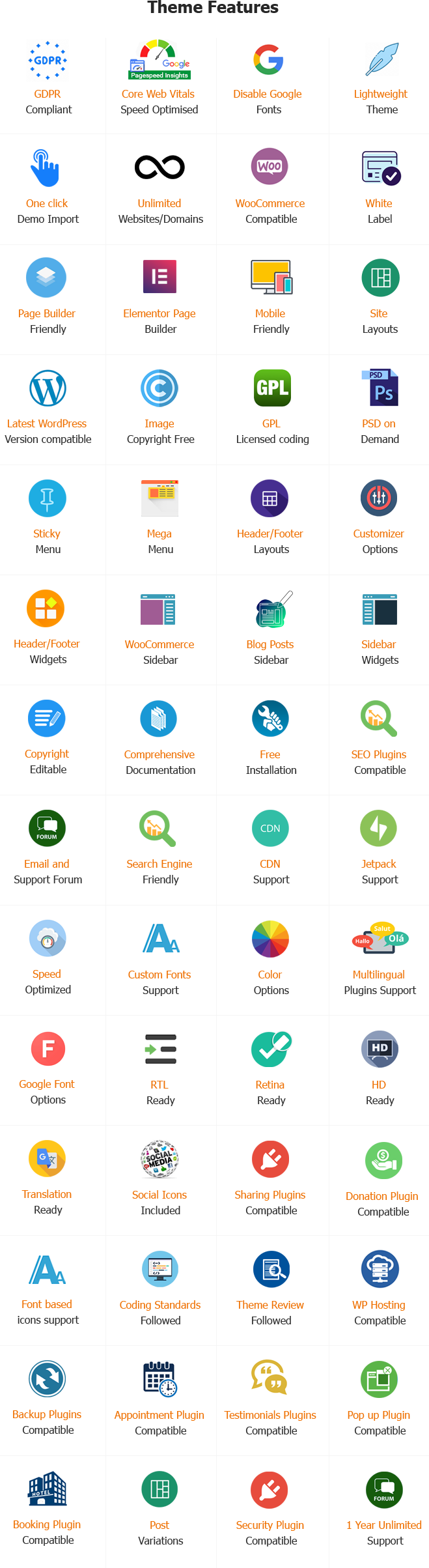
- Working With Latest WordPress Version
- Updated Google fonts for GDPR and Other Country Privacy
- Updated to work with PHP 8+
- Updated to work with at least one page builder (Elementor, Gutenberg or SKT Builder)
- Compatible with popular plugins of SEO, contact form and WooCommerce
- Updated performance to work with popular cache plugins and Cloudflare
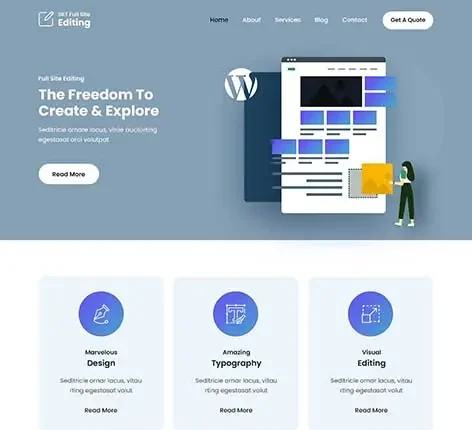
Full Site Editing WordPress Theme
Building a website used to be difficult. You had to hire a developer to change your website header. You had to write complex code to change your footer. Today, WordPress has completely changed how we build websites.
This new method is called Full Site Editing (FSE). It allows you to design your entire website using simple blocks. You do not need any coding skills. You have total control over every single page.
The SKT FSE Pro theme is built specifically for this new era. It is a premium WordPress block theme. It gives you incredible tools to design your site quickly. In this massive guide, you will learn exactly what SKT FSE Pro is. You will learn how it works.
What Is Full Site Editing (FSE)?
Full Site Editing is a massive upgrade to WordPress. In the past, you could only edit the middle part of your blog posts. Your theme controlled the top header and the bottom footer. You could not touch them easily.
Full Site Editing changes the rules entirely. Now, every part of your website is made of blocks. A block is simply a piece of content. A paragraph is a block. An image is a block. Your logo is a block. Your website menu is a block.
Because everything is a block, you can move anything around. You can click your header and drag it anywhere. You have complete creative freedom.
What Is SKT FSE Pro?
SKT FSE Pro is a premium WordPress theme. It is built entirely on the Full Site Editing framework. It does not use old, heavy code. It uses modern, fast WordPress blocks.
This WP theme gives you pre-built designs. You do not have to start from a blank screen. It provides ready-made headers, footers, and page layouts. It includes beautiful color palettes and font choices. It makes the Full Site Editing experience much easier for beginners.
Key Features of SKT FSE Pro WordPress Theme
SKT FSE Pro packs many powerful tools into one theme. Explore the standout features that make this product different. We explain each one with a real-world example.
The Global Styles Editor
In the past, changing your website colors took hours. You had to edit CSS files manually. SKT FSE Pro uses the Global Styles editor. You can change colors and fonts across your entire website with one click.
Custom Block Patterns
A block pattern is a group of blocks arranged together. SKT FSE Pro includes dozens of beautiful block patterns. You get ready-made pricing tables, contact forms, and team member profiles.
Drag-and-Drop Header Builder
The header is one of the most important elements of your website. It helps visitors navigate. SKT FSE Pro lets you build custom headers using blocks.
Drag-and-Drop Footer Builder
The footer is located at the bottom of your site and can include legal links, social media icons, and important details. You can edit this area completely with SKT FSE Pro.
Custom Page Templates
A template controls how a page looks. You can create different templates for different pages. SKT FSE Pro lets you build custom layouts easily.
Custom 404 Error Pages
When a visitor clicks a broken link, they see a 404 Error page. Old themes had ugly error pages. SKT FSE Pro lets you design a helpful 404 page.
Fast Loading Speed
SKT FSE Pro does not use heavy page builder plugins. It uses the native WordPress block editor. This means the code is very clean. Your website will load incredibly fast.
Mobile Responsive Design
More than half of your visitors use a smartphone. SKT FSE Pro is perfectly responsive. It automatically resizes your text and images for small screens.
WooCommerce Compatibility
You can sell products easily. SKT FSE Pro works perfectly with the WooCommerce plugin. It supports all the latest WooCommerce blocks.
No Coding Required
You never have to look at complex code. You never need to write HTML, CSS, or PHP. You do everything visually.
Dedicated Customer Support
When you run a business, you cannot afford website downtime. You need fast answers.
One Year of Regular Updates
WordPress updates constantly. Your theme must update to stay secure.
Extensive Documentation
You get access to written guides and tutorials.
Who Should Use SKT FSE Pro?
This theme is highly flexible. It adapts to almost any industry or business type.
Bloggers and Writers
Bloggers need clean, readable websites. They need fast loading speeds to rank high on Google.
Small Business Owners
Local businesses need simple websites. They need contact forms, business hours, and service lists.
Agencies and Freelance Designers
Web designers build websites for clients. They need a tool that is fast and reliable.
WooCommerce Store Owners
E-commerce stores need high conversion rates. They need clean product pages and fast checkouts.
SKT FSE Pro vs Classic WordPress Themes
Understanding the shift from classic to block themes is essential for modern website design. Classic WordPress themes often box you into rigid templates dictated by the developer, requiring custom code for header changes, limiting footer and color options, and generally resulting in heavier, slower websites with low design flexibility.
In stark contrast, SKT FSE Pro is a lightweight block theme that grants you total creative freedom. It replaces rigid rules with visual drag-and-drop blocks, allowing you to easily build custom page layouts, edit headers and footers without coding, and change colors globally with a single click. Instead of being stuck with a predefined layout, you have the absolute freedom to move, delete, or place elements like sidebars exactly where you want them.
SKT FSE Pro vs Heavy Page Builders
Page builders like Elementor and Divi are very popular. However, they come with problems. They add massive amounts of code to your website. They slow your site down. They also cost a lot of money every year.
SKT FSE Pro uses the native WordPress block editor. It does not load heavy external scripts.
How to Install and Set Up SKT FSE Pro
Getting started is very easy. You can install this theme in just a few minutes.
Step 1: Download the Theme
Purchase the SKT FSE Pro theme from the official SKT Themes website. Download the theme zip file to your computer desktop.
Step 2: Upload to WordPress
Log into your WordPress dashboard. Navigate to Appearance on the left menu. Click Themes. Click the Add New button at the top. Click Upload Theme.
Step 3: Activate the Theme
Once the upload finishes, WordPress will show a success message. Click the blue Activate button.
Step 4: Open the Site Editor
Look at the left menu in WordPress. Under Appearance, you will now see a new button called “Editor.” Click this button to open the Full Site Editing experience.
Building a WooCommerce Store with SKT FSE Pro
E-commerce is a massive industry. You must have a fast, beautiful store to succeed. SKT FSE Pro integrates flawlessly with WooCommerce.
Because both tools use the block editor, they work together perfectly. WooCommerce provides special blocks. SKT FSE Pro provides the beautiful framework to display them.
Displaying Products on the Homepage
You do not need complicated shortcodes anymore.
Customizing the Shop Page Template
The Shop page is where all your items live. Old themes forced you to use their exact shop layout.
Better Cart and Checkout Experiences
WooCommerce recently introduced block-based cart and checkout pages. They are much faster and cleaner than the old versions.
Speed and SEO Benefits of SKT FSE Pro
Search Engine Optimization (SEO) dictates how high you rank on Google. If you rank high, you get free traffic. If you rank low, your business struggles.
SKT FSE Pro helps your SEO in several critical ways.
Clean Code Means Faster Speeds
Google officially states that website speed is a ranking factor. Slow sites get penalized. SKT FSE Pro produces very clean HTML code. It does not use heavy javascript libraries unless necessary.
Core Web Vitals
Google uses metrics called Core Web Vitals to judge your site. They measure how fast the page loads, how quickly a user can click a button, and how much the page jumps around while loading.
Semantic HTML Structure
Search engines cannot “see” your website. They read the code. SKT FSE Pro outputs clean, semantic HTML5 tags. It uses proper header tags (H1, H2, H3). It uses proper <header> and <footer> tags.
Best Practices for Using SKT FSE Pro
Full Site Editing gives you ultimate power. However, with great power comes great responsibility. You can easily make a mess if you are not careful. Follow these best practices.
1. Keep Your Design Simple
Do not use ten different colors and five different fonts. Keep it clean.
2. Use Block Patterns First
Do not start from a blank page. It takes too long and often leads to messy layouts.
3. Always Test on Mobile View
You must ensure your site looks good on phones.
4. Do Not Delete Core Templates
Be careful when editing templates. Do not delete essential parts like the “Post Content” block.
Conclusion
The web design industry is changing rapidly. The old way of building WordPress websites is dead. Heavy page builders and rigid classic themes are no longer the best option. Full Site Editing is the future.
The SKT FSE Pro theme puts you at the front of this new era. It gives you incredible power. You can control every pixel of your website. You can change global colors in one click. You can build custom headers without writing a single line of code. You can load your pages blazingly fast.
Whether you run a simple local blog or a massive WooCommerce store, this theme provides the solid, modern foundation you need. Stop fighting with complex code. Stop using slow, bloated plugins. Embrace the block editor.
Build a faster, more beautiful website today. Install SKT FSE Pro and take total control of your online business.
Frequently Asked Questions About SKT FSE Pro Theme
Here are the most common questions users ask about this theme and Full Site Editing.
What does FSE stand for?
FSE stands for Full Site Editing. It is the modern way to build WordPress websites using blocks for every single part of the page.
Do I need to know how to code to use SKT FSE Pro?
No. You do not need to know any code at all. You do everything visually by dragging and dropping blocks on the screen.
Does SKT FSE Pro work with WooCommerce?
Yes, absolutely. It integrates perfectly with WooCommerce. You can use all the modern WooCommerce cart, checkout, and product blocks.
Is SKT FSE Pro a fast theme?
Yes. Because it uses native WordPress blocks instead of heavy external page builder plugins, it loads incredibly fast and scores high on Google speed tests.
Can I change the header and footer?
Yes. You have total control over the header and footer. You can move logos, add search bars, and change colors easily in the Site Editor.
What are block patterns?
Block patterns are pre-designed groups of blocks. They are ready-made sections like pricing tables, contact forms, or hero banners that you can drop into a page instantly.
Is SKT FSE Pro mobile-friendly?
Yes. The theme is completely responsive. Your text, images, and columns will automatically adjust to look perfect on smartphones and tablets.
Can I use SEO plugins with this theme?
Yes. SKT FSE Pro works perfectly with all major SEO plugins like Yoast SEO, Rank Math, and All in One SEO.
How do I get support if I get stuck?
You get access to a dedicated premium support ticketing system. Expert developers will help you solve your technical problems quickly.
Is SKT FSE Pro better than Elementor?
It depends on your needs. SKT FSE Pro is much faster and uses native WordPress tools. It keeps your site lightweight. Elementor offers more complex animations but slows your site down significantly.
Can I create a custom 404 Error page?
Yes. You can open the “404” template in the Site Editor and design a completely custom error page using blocks.
Will I lose my content if I switch to this theme?
No. Your blog posts, pages, and images are saved in your WordPress database. Switching to SKT FSE Pro only changes how your site looks, not the actual content you wrote.
Related themes: Gutenberg WordPress themes
Tags: FSE, Gutenberg theme, Gutenberg, Patterns theme, Block Editor Patterns, Block Editor Styles, Blog, Custom Colors, Custom Logo, Custom Menu, Editor Style, Featured Images, Full Site Editing, Full Width Template Template Editing, Wide Blocks
Also Included with Full Site Editing WordPress Theme
-
Theme Files
Theme files are included in the zip you get when purchased
-
Sample Content
1 click demo import to set up all the content of all pages easily
-
Support
You will get a login for our support forum and our email ID and Skype ID after purchasing a theme
-
PSD Design Files
Includes PSD format file so that in case you need any design changes first in order to modify the theme you can do so. All Themes Bundle users will have to demand PSD files since including so many PSD files is not possible. Single theme users can get the PSD design files on demand.
-
Free Installation
You will get free installation if you request us to install the Full Site Editing WordPress Theme on your server with demo content


Sienna Bergström –
The design is minimalistic and modern, providing a flexible foundation for various types of content. It’s easy to customize, fully responsive, and gives a clean, professional appearance.