
SKT Intuitive - Easy To Use WordPress Theme
- Updated October 2026
- Working With Latest WordPress Version
- Updated Google fonts for GDPR and Other Country Privacy
- Updated to work with PHP 8+
- Updated to work with at least one page builder (Elementor, Gutenberg or SKT Builder)
- Compatible with popular plugins of SEO, contact form and WooCommerce
- Updated performance to work with popular cache plugins and Cloudflare
Best Easy to Use WordPress Theme
For small-scale business owners, freelancers, and absolute novices alike, creating a website may feel like learning a second language. Complicated coding, complex dashboards, and complex setup instructions can limit your business’s growth. If you’re in the market for a website that lets you focus on your customers’ needs rather than deal with code, it is essential to build a system from scratch that’s easy to use.
SKT Intuitive Design from SKT Themes is an unbeatable, easy to use WordPress Theme. The theme is designed for everyone who is a time-sucker and desires a neat, professional website without any technical hassle.
What Makes a Website Template Truly Easy To Use?
A true Easy To Use Website Template does more than simple layout adjustments and simplifies the entire task. It clears the clutter of digital media by replacing complex options with clear, visually-focused editing tools that function exactly as you’d expect.
Who exactly is this Effortless Layout Designed For?
Boutique Store Owners: Shop owners who have to update their inventory and change pricing with just two clicks.
local service providers: plumbers, mechanics, and cleaners who would like a simple way for their local customers to contact them.
Solo freelancers include photographers and copywriters who require an efficient, stylish gallery to land new jobs.
Blogs and Hobbyists: Writers who wish to tell the stories of their lives without spending time configuring the backend database settings.
Top Unique Features of an Easy to Use WordPress Theme
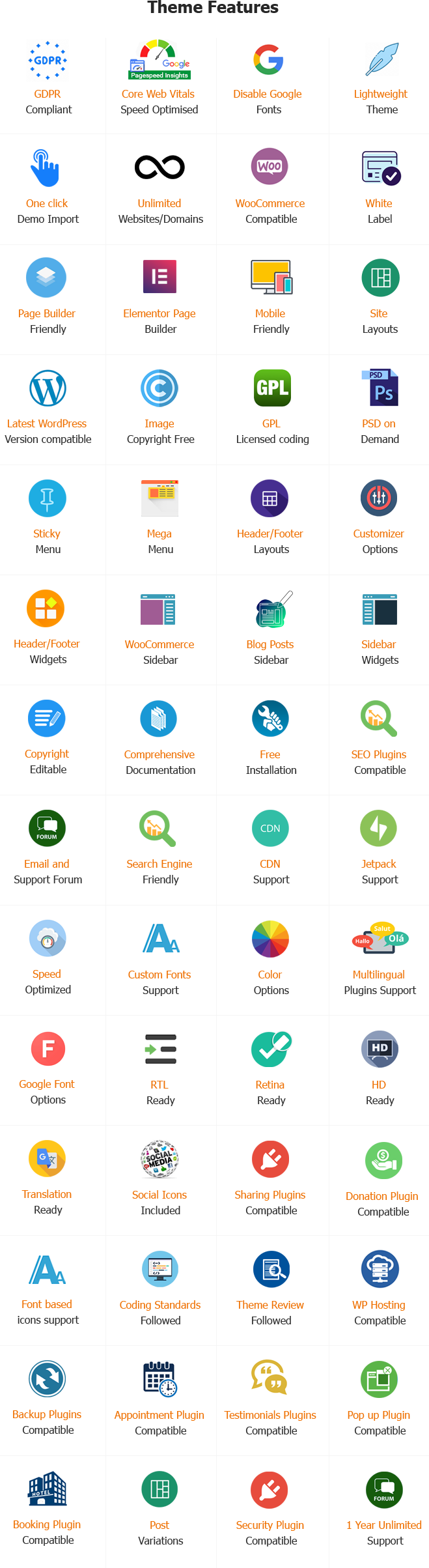
To stand out as the easiest-to-use WordPress template, it has to provide a user interface that doesn’t require any background knowledge. The SKT Intuitive Design helps make web management fun once again:
Visual Drag-and-Drop Editing:
Click images or text, then drag them with your mouse. No coding language is required.
1-Click Demo Import
1-Click Demo Setting-up Start an entire, fully-styled web-based business site in less than sixty minutes.
The perfect mobile scale:
The layout expands and shrinks in real time, resulting in stunning images on any handheld display.
Lightweight Framework Performance:
Optimized coding rules keep pages moving fast, keeping visitors happy.
SEO-Ready Baseline
Created by using Web standards to make it extremely easy for Google to locate your company website.
Frictionless WooCommerce Setup
Click the shop’s features, then start accepting secure digital credit card payments easily.
Blueprints for Pre-Built Pages
Include clear, ready-to-use layouts for your Home page, About page, and Contact area that are clean and tidy.
Curated Clean Typography
Picked accessible fonts to ensure that your text appears easily when you use phones.
Simple Graphic Logo Upload
Add your customized brand logo directly to the header with a single click.
Social Quick-Link Integration
Icon blocks can be configured to connect instantly with your Facebook or Instagram page.
A safe, error-free code
It is based solely on WordPress guidelines to ensure the template won’t fail when you update it.
One-Tap Phone Calls
Mobile users can call your company’s phone number directly by tapping the number.
Easy Interactive Maps
Create a visual locator map for your store’s location without tinkering with API scripts.
Pre-made Form Modules
Record customers’ messages and inquiries about quotes through a reliable, integrated submission box.
RTL Ready
Global Translation Tools are ready for basic translation files so that you can communicate in the language of your local community.
Retina-Ready Sharp Graphics:
Icons, custom designs, and images are crisp on top-end monitors.
Video Backgrounds Includes:
Add an atmospheric hero video to the top banners by copying and pasting a web link.
Bloat-Free Dashboard for Admins.:
It hides complex technical options to keep the main editing area clutter-free.
Live Template Updates:
Constant improvements to performance, ensuring your template’s performance is consistent with the upcoming WordPress versions.
Step-by-Step Video Tutorials:
Simple, clear videos that walk people through the steps, helping those who haven’t had the privilege of running a website.
24-hour human support:
You can connect directly with an experienced, helpful technical support team to resolve issues quickly.
How to Design an Easy-to-Use Website Using SKT Intuitive WordPress Theme?
1. Setup and Installation
- Install SKT Intuitive via Appearance > Themes > Add New in WordPress.
- The theme is activated, and you can import Demo content to create a fully functional, easy-to-use website template.
- Check that your WordPress version is up to date to take advantage of the Easy to Use WordPress Theme features.
2. Customize Layout and Appearance
- Utilize the customizable tool to alter fonts, colors, as well as header and footer layouts to create simple, easy-to-read designs.
- Set up responsive settings to ensure your website is responsive on tablets, computers, and smartphones.
- Include pre-designed sections, such as block-of-features, call-to-action sections, and testimonials that match the WordPress Simple To Use theme style.
3. Add Content and Media
- Design the Home, Features, About, and Contact pages using the block editor or the page builder.
- Make sure to include clear text, icons, and images to simplify the user interface and make it easy for users.
- Make sure your content is optimized for specific search terms, such as “WordPress themes for Easy To Use,” to improve search results.
4. Plugins and Functionality
- Install SEO, caching, and security plugins to improve website performance.
- Incorporate essential features such as live chat, a contact form, and social media buttons to provide a pleasant user experience.
- Utilize page builders to design simple-to-use layouts that work with Easy to Use WordPress themes.
5. Final Checks and Launch
- Verify responsiveness, page load speed, and browser compatibility to ensure the site is accessible to users.
- Check that all forms, links, and interactive elements are working correctly within the WordPress Easy to Use theme.
- Start the backup process and then go live with a professionally designed Easy To Use Website Template.
Conclusion:
Trying to figure out complicated layouts for your tech can hinder your ability to generate revenue. If you switch to an easy-to-use theme, you can improve your customers’ experiences and make updating your website content easier.
SKT’s intuitive design gives you complete control over your visuals, along with fast performance and simple design, making it easy to build a high-quality web presence without letting complex website management hinder your company’s growth.
Take a look at all of the SKT Themes selection now and discover how easy managing your company website can be!
Also Included with Easy To Use WordPress Theme
-
Theme Files
Theme files are included in the zip you get when purchased
-
Sample Content
1 click demo import to set up all the content of all pages easily
-
Support
You will get a login for our support forum and our email ID and Skype ID after purchasing a theme
-
PSD Design Files
Includes PSD format file so that in case you need any design changes first in order to modify the theme you can do so. All Themes Bundle users will have to demand PSD files since including so many PSD files is not possible. Single theme users can get the PSD design files on demand.
-
Free Installation
You will get free installation if you request us to install the Easy To Use WordPress Theme on your server with demo content


Debora J. Dawson –
User-friendly and modern design! It makes navigating content effortless and provides a smooth experience for all visitors.