
SKT Blueprint Studio - Drafting WordPress Theme
- Updated October 2026
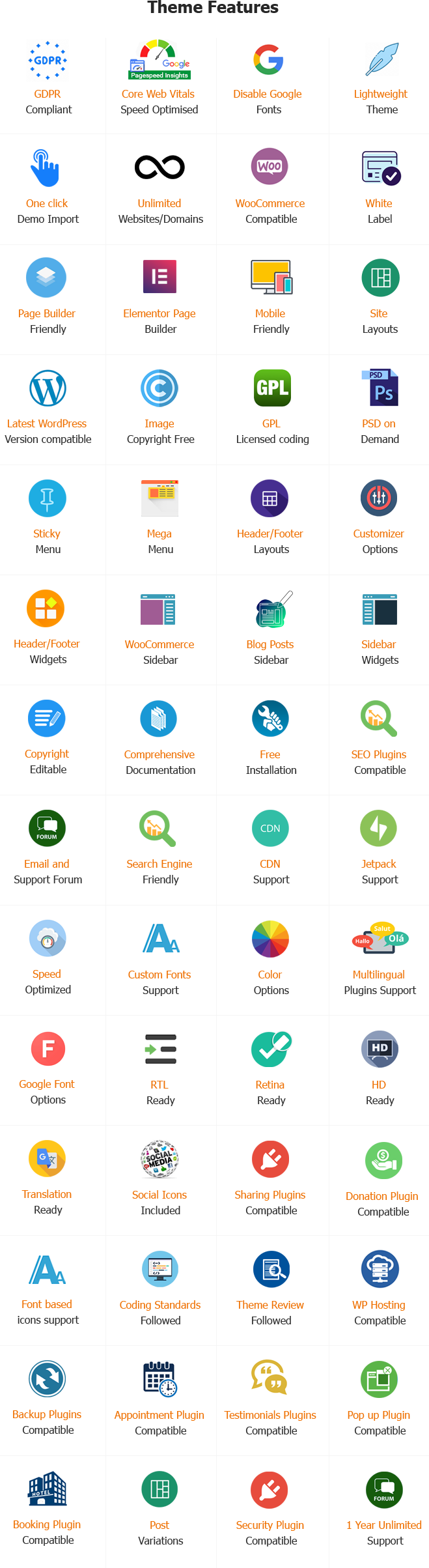
- Working With Latest WordPress Version
- Updated Google fonts for GDPR and Other Country Privacy
- Updated to work with PHP 8+
- Updated to work with at least one page builder (Elementor, Gutenberg or SKT Builder)
- Compatible with popular plugins of SEO, contact form and WooCommerce
- Updated performance to work with popular cache plugins and Cloudflare
For Documentation: Click Here.
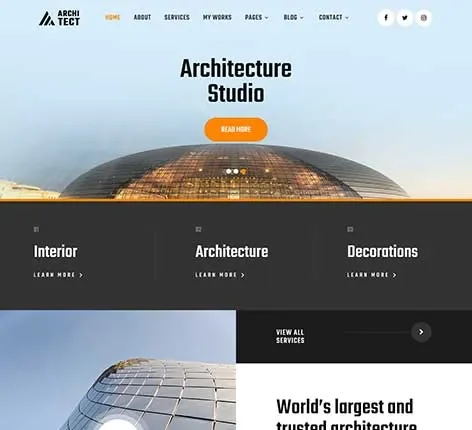
Drafting WordPress Theme
Engineering and architecture firms are heavily dependent on visual presentations and professional credibility. Clients typically evaluate the quality of their work by browsing online portfolios prior to initiating contact with the firm. A well-organized website can serve as an electronic blueprint, showing capabilities in design, technical expertise, and completed projects.
Generic templates are not able to fulfill the requirements of engineers and architects.
Technically complex project presentations, documentation and portfolio management require the use of a specific solution. A specialized Drafting WordPress Theme provides the perfect framework to present excellence in engineering and architecture.
SKT Blueprint Studio offers an elegant and practical platform that is designed for architects, civil engineers, interior designers, and construction professionals. Professionally designed WordPress Drafting theme enhances credibility while also ensuring smooth navigation and engagement with users.
A professional website is essential in the lives of Architects and Engineers.
A strong online presence increases the authority of your brand and helps you attract premium clients. Prospective clients often look over portfolios, certificates, and other offerings prior to making their final decisions. A customized Drafting Website Template makes sure that the data is effectively presented.
The Key Benefits
- Establishes confidence through professional presentation
- Presents engineering and architectural portfolios
- Improves the visibility of search results
- Facilitates inquiries from clients and discussions on projects
- Brand positioning is supported in market competition
In the midst of a variety of WordPress designs for drafts, an exclusive solution will ensure conformity with the industry standards.
The Way SKT Blueprint Studio Solves Industry Problems
Engineers and architects face distinct difficulties when creating an online presence. A clear and effective way to communicate technical knowledge, visualizing projects, as well as clarity of service, is crucial. SKT Blueprint Studio addresses these requirements with a purpose-driven design and functionalities.
Solutions Available
- Complete Portfolio Management: Structured Layouts emphasize commercial, residential, and infrastructure projects.
- Service Presentation: Clear sections describe architectural planning, engineering consulting and drafting.
- Client Engagement: The integration of contact and inquiry forms simplifies communications.
- Visual Storytelling: HD photos and descriptions of projects increase credibility.
- Scalability: Flexible customization helps companies of different sizes.
The capabilities of this theme place SKT Blueprint Studio among the most trustworthy WordPress templates for drawing professionals.
Important Characteristics for Drafting a WordPress Theme
1. Professional Portfolio Layouts
Engineering and architectural projects are displayed in elegant grids and masonry designs, which allow visitors to see how they work.
2. Service-Oriented Design
The sections are specifically designed to provide specific descriptions of services such as architectural design, urban planning, structural engineering and design for interiors.
3. Project Case Studies
Case study pages are a great way to discuss the challenges of a project, its solutions, and the results, as well as enhancing authority and knowledge.
4. Showcase of Team and Expertise
Profiles of engineers and architects can help build confidence by highlighting their credentials and their experience in the theme Drafting that is available for WordPress.
5. blog and in-depth section
Design trends, industry insights and technical content can be published with WordPress themes for Drafting, which can help improve thought leadership.
6. WooCommerce Compatibility
Firms that provide digital design tools or consulting packages could profit from services via integrated eCommerce functions.
Customization Options in the Drafting Theme of WordPress
Flexible Branding
The color scheme and typeface can be customized to reflect the corporate brand and the design philosophy.
Variations in Header and Footer
The navigation structures can be optimized to improve user experience and ease of use.
Page Builder Compatibility
Drag-and-drop editing allows layout customization without the need for coding.
Widget-Ready Areas
Strategic placing of testimonials, certificates and contact information improves accessibility.
Technical Features in WordPress Templates for Drafting
Mobile-Responsive Design
Optimized layouts guarantee seamless performance across tablets, smartphones and even desktops.
SEO-Optimized Structure
Clean and semantic code increases the search engine’s search results for engineering and architectural services.
Fast Loading Performance
A well-organized asset management system improves the users’ experience and reduces bounce rates.
Translators and RTL Support
Multilingual capabilities enable international outreach.
Security and plugin compatibility
Integration with the most important plugins guarantees security and scalability for your website.
The advantages of using WordPress Drafting Themes
Higher Professional Credibility
A custom-designed Drafting Website Template conveys professionalism and trustworthiness.
Better Client Engagement
Interactive portfolios with clear navigation and easy to navigate encourage inquiry.
Effective Presentation of Projects
In-depth case studies and graphic galleries show the capabilities of technology.
Lead Generation is Increasing
Effective calls-to-action turn visitors into potential customers.
Simplified Content Management
Dashboards that are user-friendly allow for regular updates and regular maintenance.
How do I create an Architects and Engineers Website Using SKT Blueprint Studio Theme?
Making a professional site for engineering and architectural services requires a planned method. The steps below describe the process for creating an efficient platform with SKT Blueprint Studio.
1. Secure Hosting and Domains
Choose a domain name that is representative of the company’s image and select a reliable hosting service for optimal performance.
2. Installation of WordPress as well as SKT Blueprint Studio
Upload and then activate the Drafting WordPress theme on the WordPress dashboard. Import demo content to speed up the process of setting it up.
3. Configure Essential Pages
Make key sections that provide complete details:
- Home
- About the Company
- Services
- Portfolio or Projects
- Case Studies
- Blog or Insights
- Contact Page
4. Create a professional Portfolio
Upload high-resolution photos as well as blueprints and descriptions of the project. Classify projects by kind, such as commercial, residential or infrastructure.
5. Highlight Services and Expertise
Give specific information about architectural planning, structural engineering drawing, and consulting services.
6. Update Team Profiles and Accreditations
Display your qualifications and professional associations to boost credibility and trust.
7. Use Contact and Inquiry Forms
Facilitate seamless communication with interconnected forms and maps that are interactive.
8. Optimize your site for Search Engines
Include relevant keywords like Drafting WordPress Theme, WordPress Drafting Theme, or Drafting themes for WordPress naturally in your content and metadata.
9. Improve the User Experience
Make sure you have a smooth navigation experience, speedy download speeds, and responsiveness to mobile devices to ensure seamless browsing.
10. Create and maintain the website
Make sure to regularly update content, release information on industry trends, and track results to ensure you are able to sustain your long-term achievement.
Audience Targeted for Writing Theme designed for WordPress.
SKT Blueprint Studio caters to an array of professionals from the engineering and architecture sectors:
- Architectural firms
- Engineering for structural, civil and environmental engineers
- Interior designers
- Urban planners
- Construction consultants
- Service providers that offer CAD and draftsmanship
Scalability and versatility are the main features that distinguish SKT Blueprint Studio among WordPress themes for Drafting.
What’s the reason? SKT Blueprint Studio Stands Out
A variety of factors are the reasons for the uniqueness of SKT Blueprint Studio within the world in the field of WordPress Drafting themes.
- Industry-focused design that is suited for engineers and architects.
- A beautiful case study and portfolio layouts
- Flexible options for customization
- Structure that is mobile-responsive and SEO-friendly
- WordPress and plugins are compatible with WooCommerce
- Credibility is the most important thing to emphasize, and professionalism
The strengths of these themes make SKT Blueprint Studio a dependable design theme for WordPress for professionals looking to create an impressive online presence.
Conclusion
A well-designed website is essential for engineers and architects who want to show their expertise and attract premium clients. Templates that are generic often do not satisfy the specific needs of the presentation of projects, as well as technical communication.
SKT Blueprint Studio offers an extensive Drafting WordPress Theme that is designed to meet the specific requirements of engineers and architects. The robust features, beautiful design and scalability allow the development of an enduring and interactive digital platform.
Engineers and architects who want to create a solid online presence will appreciate SKT Blueprint Studio as a reliable and current-day solution.
Also Included with Drafting WordPress Theme
-
Theme Files
Theme files are included in the zip you get when purchased
-
Sample Content
1 click demo import to set up all the content of all pages easily
-
Support
You will get a login for our support forum and our email ID and Skype ID after purchasing a theme
-
PSD Design Files
Includes PSD format file so that in case you need any design changes first in order to modify the theme you can do so. All Themes Bundle users will have to demand PSD files since including so many PSD files is not possible. Single theme users can get the PSD design files on demand.
-
Free Installation
You will get free installation if you request us to install the Drafting WordPress Theme on your server with demo content


Janina Schroeder –
Clean, modern, and highly professional layout. Ideal for architecture and design studios, with easy customization for showcasing projects.